 Local Hair Color
Should I go blonde? Try blonde hair on your own photo first
Going blonde is one of the most common color daydreams, and one of the biggest changes you can make. It can look bright and fresh, or it can feel like someone else’s hair. The good news is that you don’t have to guess. You can see a few kinds of blonde on your own photo before anyone touches your hair.
The short versionIf you’re asking “should I go blonde?”, try a few blondes on your own photo first. Compare a warm blonde, a soft bronde, and a pale platinum, decide whether warm or cool suits you, then choose how light. If you still love it, ask a colorist what’s realistic for your hair and what the upkeep would be.
Blonde isn’t one color
“Blonde” covers a huge range, from a soft golden brown-blonde to nearly white. Saying yes or no to blonde as a whole is hard. Saying yes or no to a specific kind of blonde on your own face is much easier. Local Hair Color has three curated starting points:
Honey Blonde
A warm, golden blonde. A good test for whether warmth and brightness suit you.
Teddy Bronde
A soft mix of brown and blonde. Handy if you want lighter without going all the way.
Platinum
A very pale, cool-leaning blonde. The boldest of the three, and the biggest change for most people.
If none of these is quite it, choose Custom and pick your own shade with Apple’s grid, spectrum, or sliders. That’s a nice way to experiment with an ashier, beige-leaning blonde or a richer golden one. For more on the full range of shades, see our guide to previewing blonde, brunette, copper, burgundy, and custom colors.
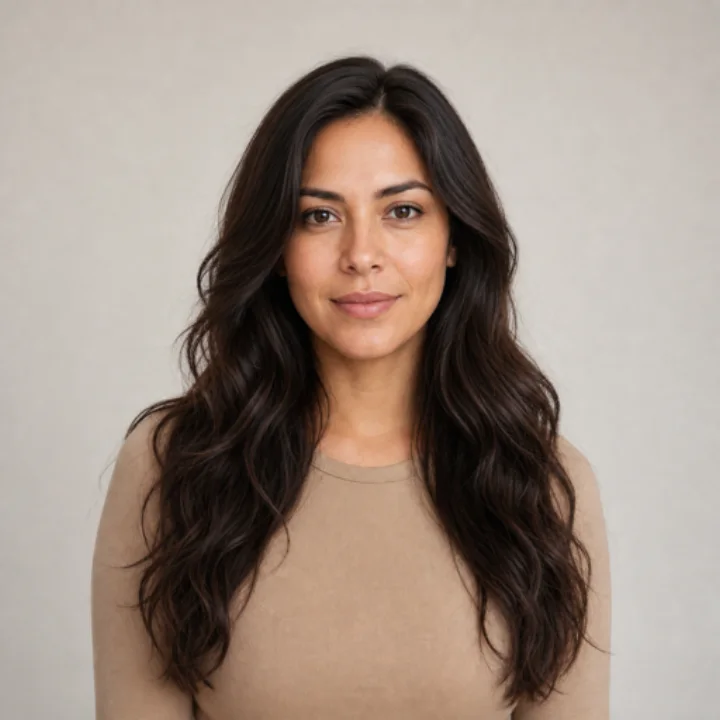
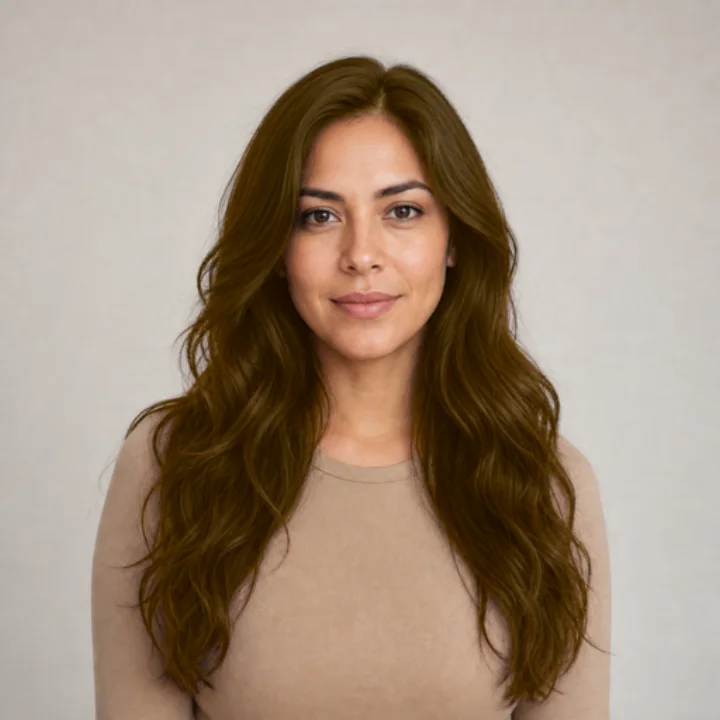
Try blonde hair on your photo
Choose a clear, evenly lit photo where your hair is easy to see. Daylight from a window is ideal. Warm indoor bulbs can make every blonde look more golden than it would outside, so if you only have an indoor photo, keep that in mind as you compare. Our guide on choosing a photo for a hair color preview has more ideas.
Once the app finds your hair, zoom in on your hairline and ends. Blonde shows mistakes clearly, so if any dark strands were missed, use Refine Selection to brush them in.
Judge warm or cool first
Before thinking about how light to go, decide which family feels right. Put Honey Blonde next to Platinum and flip between them. Does the golden one make you look warmer and brighter, or a bit washed out? Does the cool one look crisp, or harsh?
There’s no rule that says a certain skin tone must pick one side. Just notice your own reaction. If you’re drawn to both, try a Custom shade somewhere in between.
Then decide how light
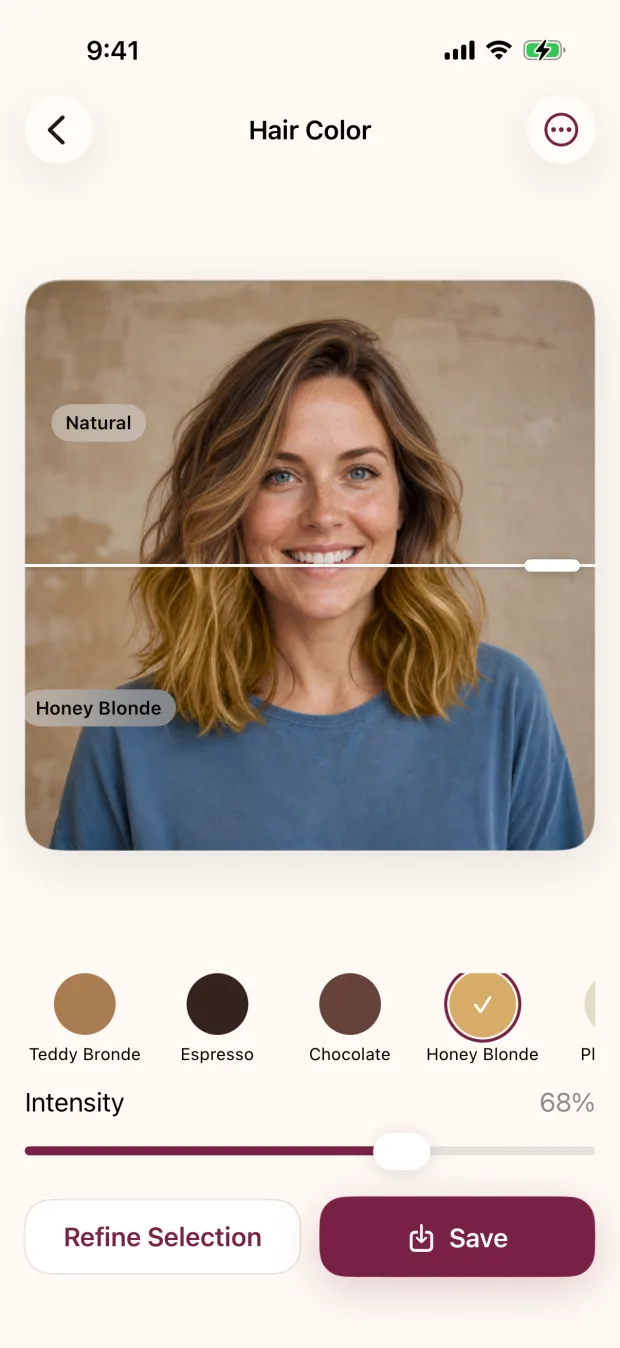
With a direction in mind, play with lightness. Teddy Bronde is a gentle step up for many people with darker hair, while Platinum is a dramatic one. The intensity slider helps too: lower intensity lets more of your own color show through, which reads as a softer change; higher intensity makes the blonde obvious.
Tap Natural to see your original, then tap back. If the jump feels exciting, great. If it feels like a stranger, try a gentler option and see whether that feels more like you.
Save your favorites and live with them
Save the two or three blondes you like best. The app writes a new photo and leaves your original untouched. Look at them again in a day or two, in a different mood. A color you still love after the novelty wears off is worth talking to a professional about.
The honest part: getting there can take time
A preview can make any hair look blonde in a second. Real hair isn’t so simple. If your hair is dark, or has been colored before, getting to blonde often means lightening, and sometimes more than one appointment. Past color in your lengths can behave differently from your roots. The preview also colors your hair in one even tone. It doesn’t add highlights, balayage, or dimension, which is often how blonde is done in a salon. A colorist who can see and test your hair is the right person to tell you what’s realistic, how to protect your hair along the way, and how many visits it may take.
Questions to ask yourself about blonde upkeep
A blonde you love on day one also has to fit into your life on day sixty. Before you book, it’s worth thinking about:
- Regrowth. How will you feel when your natural color starts showing at the roots? The bigger the difference between your natural color and your blonde, the more noticeable it will be.
- Toning and refreshing. Many blondes need occasional toning to stay the shade you chose. Ask your colorist how often they’d expect you to come back.
- Time and budget. Consider the first appointment and the upkeep after it, not just one or the other.
- Hair care. Lightened hair can need gentler handling. Ask what your colorist would recommend for your hair type and routine.
If the answers make you hesitate, a softer blonde or bronde might give you the brightness you want with less upkeep. Your previews can help you compare those options honestly.
Take your previews to a colorist
When you’re ready, bring your favorite blonde previews along with one you didn’t like. It helps your colorist understand both the look you want and the line you don’t want to cross. Our guide on what to show your colorist includes a hair-history checklist worth bringing too. If you’re thinking of doing it at home instead, read why box dye rarely matches the box first.
One question at a time.
“Do I like blonde on me?” is a question your photo can help answer. “Can my hair get there, and how?” is a question for a colorist.
Local Hair Color works on iPhone and iPad, and your photo stays on your device while you try shades, refine edges, and save. You can see what else the editor does on the features page.
Quick questions
How do I know if blonde hair will suit me?
Try a few kinds of blonde on your own photo and compare them with your original. Start with warm versus cool, then decide how light. Your own reaction to seeing it on your face is the best guide.
Can I go blonde from dark hair in one appointment?
Sometimes, but often not. Dark or previously colored hair usually needs lightening, and a colorist may suggest more than one visit. Ask them what’s realistic for your hair.
Can I try blonde highlights or balayage in the app?
No. The app colors the selected hair in one tone at the intensity you choose. Lower intensity gives a softer overall look, but it doesn’t place highlights.
Is going blonde high maintenance?
It can be, depending on how far it is from your natural color. Regrowth, toning, and hair care all play a part. A colorist can give you an honest idea of the upkeep for your hair.